

Do you intend to update the mobile number in Emirates ID 2026? You need to learn how to update your mobile number online or offline conveniently.
Your Emirates ID is a vital document that contains your personal and biometric information. It is also linked to various services and transactions in the United Arab Emirates (UAE), such as banking, health care, education, and immigration.
Therefore, it is important to keep your Emirates ID up to date with your current mobile number if you are living in an Arab country. Whether you need to update your mobile number in Emirates ID or you are new in the country, you have come to the right place.
Why is it significant to update the mobile number in the Emirates Identification?
Your Emirates ID is not simply an identification card. It is very important for practically any formal business in the UAE. Your associated mobile number is vital whether you use government websites and services. It’s useful to acquire bank OTPs, visa renewal, or to seek medical or educational services.
If the mobile number on your Emirates ID is obsolete or not in use, you could:
- Miss necessary service notifications and alerts.
- User accounts, or apps, are locked out in essential government sites.
- Experiencing visa delays in getting permissions or renewals.
- Risk of violation of local regulations.
For these reasons, the UAE government makes it mandatory for all residents to maintain their Emirates ID information. Quickly change the mobile number in Emirates ID online or by using the ICP or UAEICP app.
Required Papers for Mobile Number Updates in Emirates ID
You need the following essential documents for contacts and mobile number updates in your Emirates ID:
- Original Emirates Identification Card.
- Legitimate passport.
- Visa page with a stamp in your passport.
- UAE-based mobile number.
- Previous mobile number.
Importance of Linking Your Phone Number to Your Emirates ID
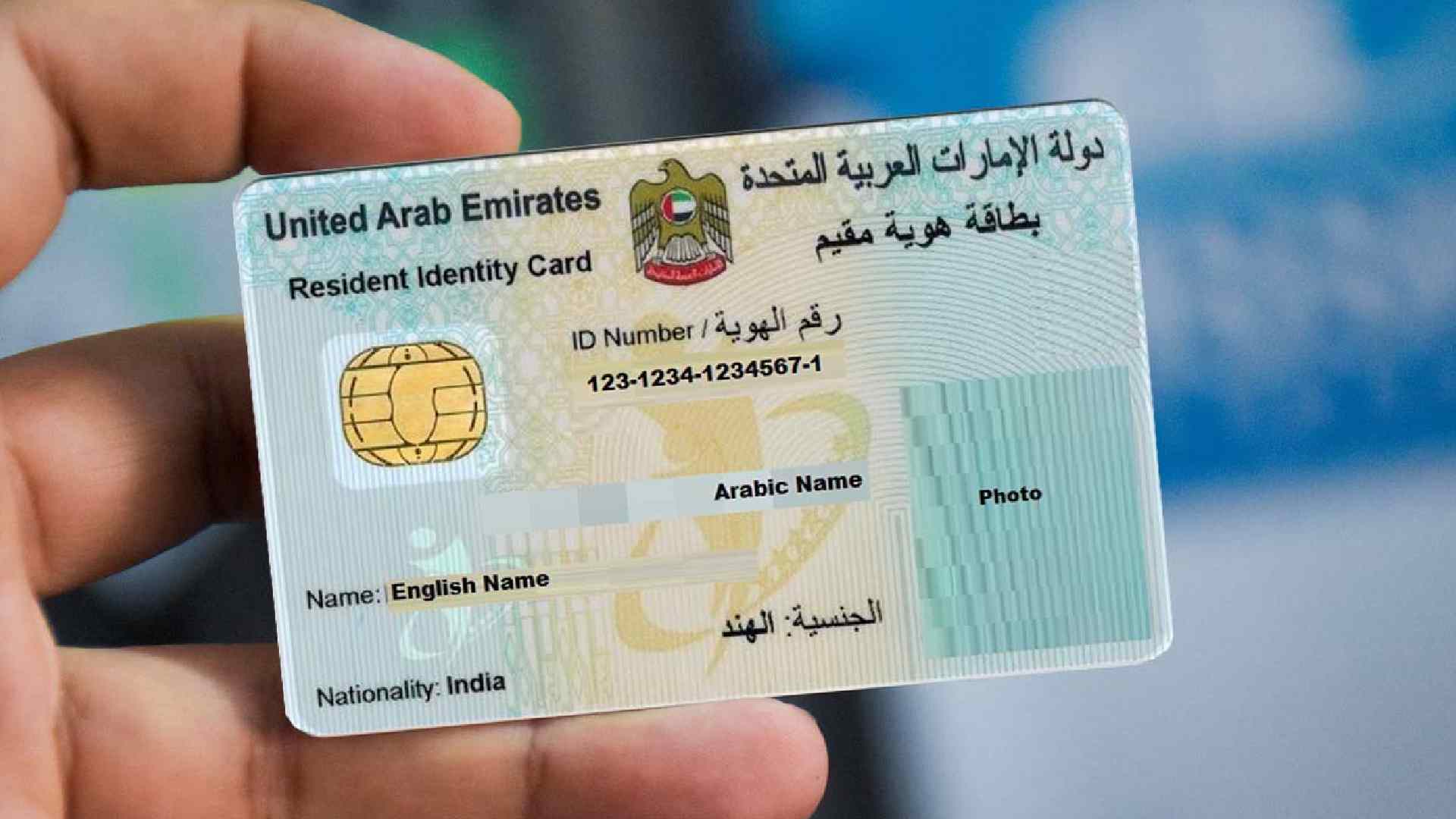
Having your phone linked to your Emirates ID is necessary for many different reasons. In fact, if you have to change it for some reason, you will need to update your mobile number in your Emirates ID.
You would have to do this in order to keep the connection with your identity in the nation. Hence, if you are wondering how to update your mobile number in the Emirates ID, we will explain it to you. You can go through the ICP or ICA mobile number update using their online platforms from anywhere.
Linking your phone number to your Emirates ID has many benefits, such as:
- You can receive SMS notifications from the Federal Authority for Identity and ICP about the status of your Emirates ID application, renewal, or replacement.
- Also, you can access the ICP online services. Such as checking your Emirates ID validity, requesting a replacement card, or updating your personal details.
- Finally, you can use your phone number as a verification method for some transactions that require an OTP (one-time password).
Cost of Updating the Mobile Number on Your Emirates ID
Updating your mobile number on your Emirates ID is free of charge. However, you may incur some fees if you need to visit a typing center or a service center to complete the process. The fees may vary depending on the location and the service provider.
How to Change Your Registered Mobile Number in Emirates ID Online Using the ICP
The easiest and fastest way to change your registered mobile number in Emirates ID is online through the ICP Smart Services Website. Here is a step-by-step walkthrough on the ICP mobile number update for your Emirates ID via the ICP Smart Services website:
Get the Services:
Visit the verified ICP Smart Services site and choose the service to update personal information.
Identification:
Select the file type for the personal data update. Input your Emirates identification or passport number and the other required information.
Find Your File:
Type in the file number from your residence visa. Be sure to pay attention to whether the number is broken into three parts for older visas or four parts for newer visas.
Fill Captcha:
Fill out the Captcha code for verification for access to the application form.
Change Contact Information:
To change your mobile number on the application form, go to the contact field and change your existing mobile number to the current number you would like to use.
Check or Enter Your Address:
Check the information about your address in the form.
Payments for the Fee:
Go to the payment gateway. Pay the service charges AED 53. The fee may vary according to the online platforms or service centers.
Check the Current Number:
You will get an OTP texted to the new phone number you entered. To confirm the modification, you need to input the OTP.
Last Confirmation:
You will get a final submission and confirmation web page. An email or SMS letting you know that the data update was successful after the payment and OTP have been checked.
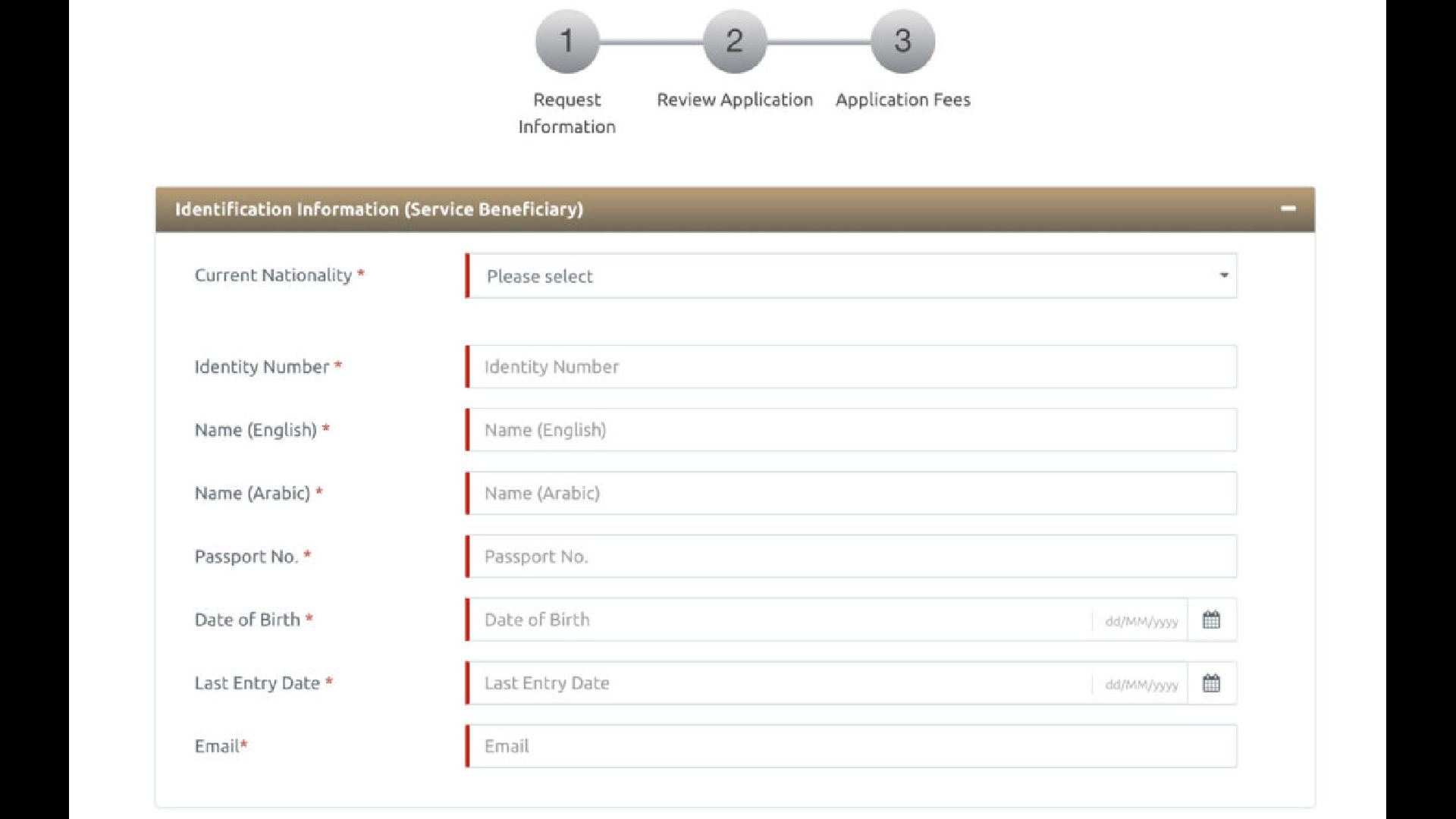
Modify Your Mobile Number in The Emirates Identification with the UAEICP App
You can also change the mobile number on your Emirates ID using the UAEICP app. Here’s the procedure to update:
Locate the Service Tab:
For the UAEICP app update mobile number, you need to log in first, usually using UAE Pass. Go to the primary menu and search for an ID Card. Then, choose Update Info / Mobile Number.
Mandatory Fields:
You need to enter your Emirates identification number, passport information, and current UAE mobile number. A one-time password (OTP) will be given to the new number to confirm it.
Service Fee:
After confirming your identity, proceed to the payment page and pay the AED 60 cost for services. There is a refund policy with an AED 10 deduction if your request is rejected.
Tracking Submissions:
When you pay, you get a reference identification number. You can use this identification code in the app’s status check or inquiry section to track your mobile number updates.
Modify Your Mobile Number in The Emirates Identification Via Smart Police Stations in the UAE
You can change your mobile number in the Emirates Identification Card through smart police stations in the UAE for free. Find the one near your location and visit with your original Emirates ID card for smart police station Emirates ID update.
24 Hours Access:
You can modify your information at any moment, as these self-service terminals are accessible all the time.
No Costs:
Updating your cellphone number this way is typically free of costs, unlike the ICP web-based facility.
You need an Emirates ID:
You need to present your original Emirates identification to prove who you are at the machine.
Using A Kiosk:
Choose the appropriate Information Update service at the SPS kiosk. Scan your ID to ensure it’s correct. Then type in your current mobile number.
Quick Update:
The Smart Police systems usually process and update the mobile number or other information instantly.
Steps for Changing Your Registered Mobile Number in the Emirates ID Offline
If you prefer to change your registered mobile number in Emirates ID offline, you can do so by visiting a typing centre or a service centre. Here are the steps to follow to update your mobile number in Emirates ID:
- Visit a typing centre near you and fill out an application form to update your mobile number. You will need to provide your Emirates ID number, old mobile number, new mobile number, and email address.
- Pay the required fees for the service. The fees may vary depending on the location and the service provider.
- Receive a reference number for your request. You will also receive an SMS notification on your old number with a link to track your request status.
- Visit a service centre within 7 days of submitting your request and present your reference number and your original Emirates ID card. You will need to scan your fingerprints and update your photo if necessary.
- Receive a confirmation message on your new number once the process is completed.
- Remember to keep it up to date, since this is another type of identification in the country.
Cost of Updating the Mobile Number on Your Emirates ID
Updating your mobile number on your Emirates ID is free of charge at Smart Police Stations. However, you may incur some fees online or if you need to visit a service centre to complete the process. The costs may vary depending on the location, the service provider, or the official platform.
Processing Timeframe and Tracking Options
The online processing time is two to seven working days. However, it’s updated instantly in the Smart Police systems.
Tracking options on the ICP website are simple. Track it through the reference number on the ICP website or using the service history in the ICP dashboard. You may check the status via email or SMS.
You can use the UAEICP app inquiry section to track your mobile number update.
Frequent Refusal Reasons for Mobile Number Updates in the Emirates ID Card
File Number Errors:
Verify the visa file number in three or four sections on the visa page in your passport or your residency permit.
Expired Identification Card:
Check to see if the Emirates identification is still active. If your ID is out of date, renew it before you change your mobile number.
Non-UAE Mobile Number Update:
You should only use a functioning UAE-based mobile number. It must be registered in the name of the main user.
Personal Data Mismatch:
Ensure that the full name, date of birth, and ID information you entered completely match the verified record.
Payment Issue:
Attempt to pay in case of payment failure again with an alternate bank card. You may check to see if your card can be used for global or online payments in the UAE.
Daily Life Scenarios: Change Your Mobile Number in Emirates ID
Stolen or Lost Mobile Phone:
If you lose your previous mobile phone or it has been stolen, go to the ICP application or website right away to change your mobile number. It will deter people from using it as OTPs are delivered to the new number for government services.
Wrong Registration:
If another individual registered their mobile number on your identification, go to the ICP Smart Services website for Emirates ID wrong number fix. Enter your accurate information to disable the previous number. You will then get the required OTP verification.
Not in the UAE:
You may continue to use the ICP application or website even if you are not in the UAE, as long as you have a fresh, active UAE mobile number.
Lost ID Card:
Merely ask for a new Emirates identification if you lose or damage your old one. You can modify your mobile number online by entering the application number once your new identification application is approved.
Denial:
If your request for changes is denied, go back to the ICP site and fix the mistake that caused the denial. Then apply again with the latest payment.
Frequently asked questions
How to change your mobile number in person?
If you prefer to update mobile number in Emirates ID in person, you can visit any of the Federal Authority for Identity and Citizenship (ICA). This service centers across the United Arab Emirates. You will need to bring your original Emirates ID and a valid passport. You will also need to fill out a form and pay a fee of AED 70. The process can take around of 10 working days.
How to change your mobile number online?
If you want to update your mobile number online, you can use the ICA website or the ICA UAE Smart app. You must log in with your Emirates ID number and password. You will also need to enter a verification code that will be sent to your old mobile number. Then, you can enter your new mobile number and confirm it. You will receive a message to confirm your new mobile number. The process may take up to 24 hours after the Emirates ID mobile number change. However, how to change number in Emirates ID might not be fast but it is not a complicated task either.
How long does it take to update the mobile number on the Emirates ID?
The time it takes to update mobile number in Emirates ID depends on the method you choose. If you update it in person, it may take up to 10 working days. If you update mobile number Emirates ID online, it may take up to 24 hours.
Is any mobile number valid for use with my Emirates ID?
No, it is not that simple. You can only use a mobile number from the United Arab Emirates for your Emirates ID. You cannot use a foreign or international mobile number.
How do I verify the mobile number associated with my Emirates ID?
You have the possibility to verify the mobile number associated with your Emirates ID by using the ICA website or the ICA United Arab Emirates Smart app. However, you will need to log in with your Emirates ID number and password. There you can you will see your personal details, including your mobile number.
What if I enter the wrong mobile number while updating?
If you enter the wrong mobile number while updating, you will not receive the confirmation message on your new mobile number. You will need to repeat the process and enter the correct mobile number.
What steps should be taken if the mobile phone linked to the registered number is lost?
If you lose your mobile phone linked to the registered number, you should report it to your service provider and block the SIM card. You should also update your mobile number on your Emirates ID as soon as possible, either in person or online. Here are some steps you could follow if that is your problem:
- Visit any of the accredited typing centers in the UAE. You can find the list of typing centers on the Federal Authority for Identity and Citizenship (ICA) website.
- Fill out the application form for updating personal data in the Population Register and ID Card. You will need to provide your old and new mobile numbers, as well as your Emirates ID number and expiry date.
- Pay the required fees, which are AED 52 for updating personal data and AED 70 for issuing a new ID card (if it is necessary).
- Receive a confirmation SMS on your new mobile number with a reference number and a link to track your application status.
- Wait for your new ID card to be delivered to your address or collect it from the nearest post office.
Is it possible to use a mobile number from outside the UAE for an Emirates ID?
No, you need to utilize a working UAE mobile number to get important OTPs and notifications about government services.
Why isn’t my OTP appearing when I change my Emirates identification mobile number?
If your Emirates ID OTP is not received, you don’t have an active plan or credit on your phone’s SIM card, try turning on airplane mode and sending the OTP again. If the issue remains, go to an ICP center.
What is the price to change the mobile number on the Emirates ID?
Online through the ICP platform or mobile application, the charge is usually AED 53. It costs more to go to a typing center. However, the smart police station offers free information update services.
Is it necessary to change the mobile number on the Emirates ID to renew a visa?
An updated number is essential for getting OTPs and notifications for the process, even though it isn’t technically required for renewal.
Is it possible to change my Emirates ID cellphone number from outside the UAE?
You need to be in the UAE with a working local number to get the required OTP verification throughout the upgrade process.
If another person entered their phone number on my Emirates ID, may I change my own?
Yes, you must modify the number on your own to use the online government services and get important messages and OTPs directly.
What is the policy for getting my money back if my amended application is denied?
If your application is denied, you usually can’t get your service fees back. You will need to fix the issue and pay the entire cost again.
How can I modify my phone number on the ICP website?
Go to the ICP Smart Services site, log in, choose Update Personal Data, type in the latest UAE mobile number, and confirm it with the OTP.
Where can I change the Emirates identification mobile number?
You can change it through the ICP Smart Services portal, the UAEICP smartphone application, a certified typing facility, or an ICP customer facility.
Should I Change My Mobile Number in Emirates ID for Free?
Online services and typing centers charge a fee for mobile number or other information updates. However, smart police stations offer free information and mobile number updates in the Emirates Identification.
Conclusion
It is against the law not to notify changes to your Emirates ID within a month. You must update your cellphone number on your Emirates identification. It’s essential to keep it up to date so you can get OTP verifications and important notifications for banking and government services. For a smooth, secure, and legal upgrade process, utilize the verified ICP Smart Services online or mobile application.
It is important to do so to ensure that you can access various services and transactions in the United Arab Emirates without any hassle. Remember to keep your Emirates ID card safe and secure at all times. If you need an Emirates ID mobile number change, update it as fast as possible. However, if you want to learn more about certain topics in the UAE, go to our blogs section for more.